Introducing Advyzon
By John H. Robinson, Founder/Financial Planner (February 2026)
I have been hyping up the Advyzon rollout for over a year now, but I am pretty sure that few if any Financial Planning Hawaii clients have any idea what it does or what value it provides. As you all are aware, there were enough moving parts over the last six months relating to the migration to our RIA, that I did not wish to foster confusion by foisting another service platform on you. Now that the dust has mostly settled, the time is right to unleash the beast.
What Is Advyzon?
Advyzon is a powerful platform that helps stand alone RIAs manage their practices. Specifically, Advyzon provides FPH with the following four services:
- A Contact Relationhip Management System (CRM) that integrates seamlessly with our MS Outlook email server.
- Client advisor fee-billing through its integration with Charles Schwab
- Client Account Performance and Cash Flow Reporting (replacing Black Diamond)
- A Client Portal that integrates with your Schwab accounts in real time and elegantly summarizes your household and individual account data
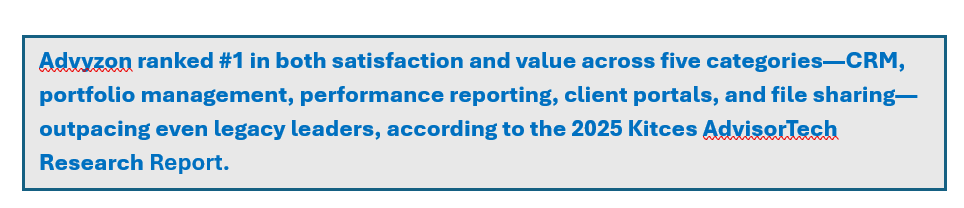
What Value Does It Provide and Does it Replace eMoney or Charles Schwab?
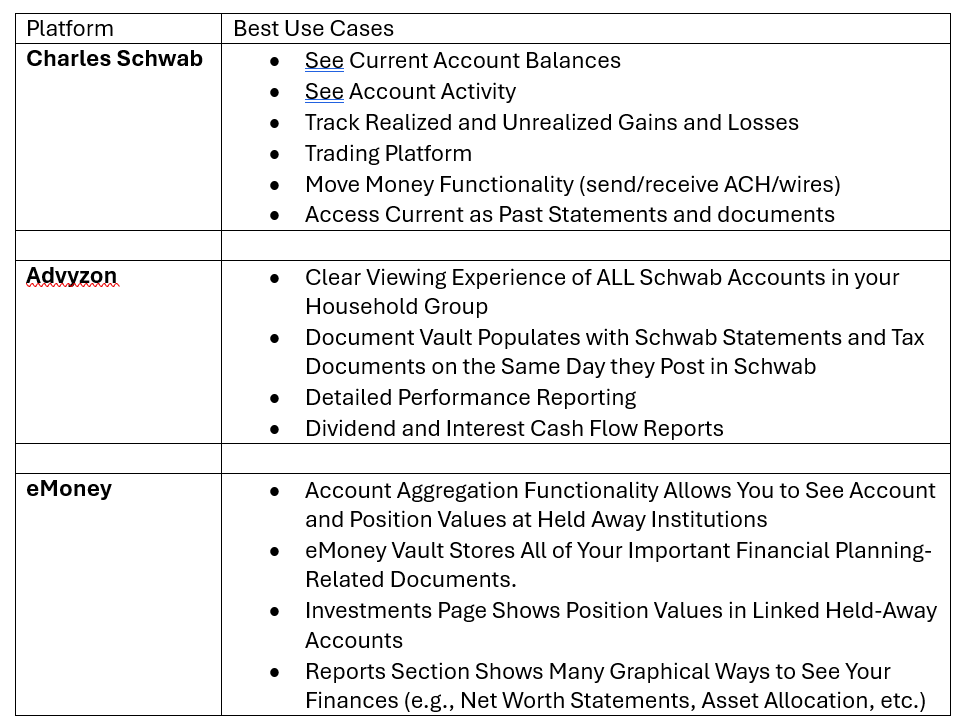
I am certain that the prospect of a third platform to access is being met with some trepidation across the ranks of the FPH client base but bear with me. Advyzon does not replace either Charles Schwab or eMoney. The table below summarizes the best use cases for each of the platforms.
How to Access Advyzon?
I will be sending invitations to log into eMoney by the third or fourth week of Febuary (2026).
You can log in through the Client Portal on the Financial Planning Hawaii home page. This is the same drop down menu that you use to access eMoney and Charles Schwab.
In the meantime, here are a few screenshots that offer a preview of what you will see.
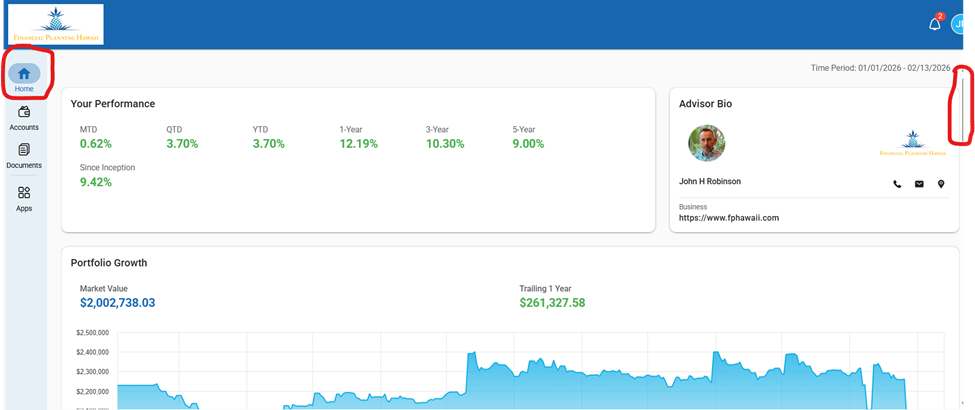
DASHBOARD VIEW
The house icon on the upper left shows that you are looking the dashboard view. Use the scroll bar circled in red to see links to all all of the accounts in your household, your “Big Picture” allocation, your current holdings, and a summary of activity in the past month.
ACCOUNT LEVEL VIEW
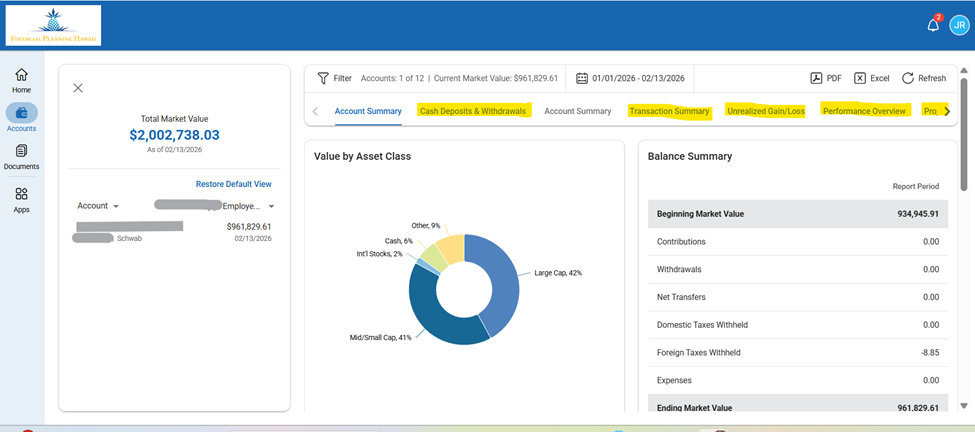
This view allows you to see account level details including activity, allocation, performance and cash flow reports.
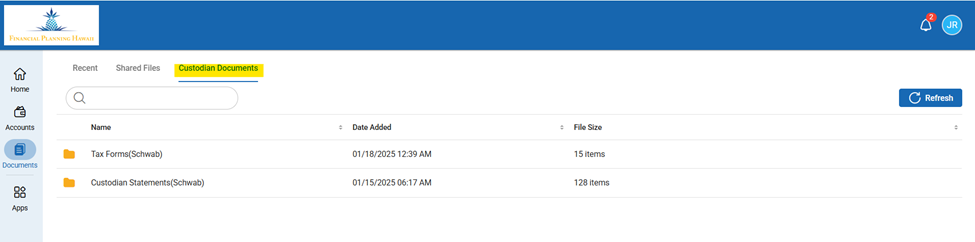
DOCUMENTS VIEW
Go here to see your Schwab Tax Forms and Recent Statements. We have set the integration with Schwab to have the latest documents mapped to Advyzon on the same day that they post in Schwab.